
Create the registration code and Customer ID you'll need to pair a Kiosk with a Location.
Before you start
You must be a Global Admin or Local Admin to generate a registration code.
Steps
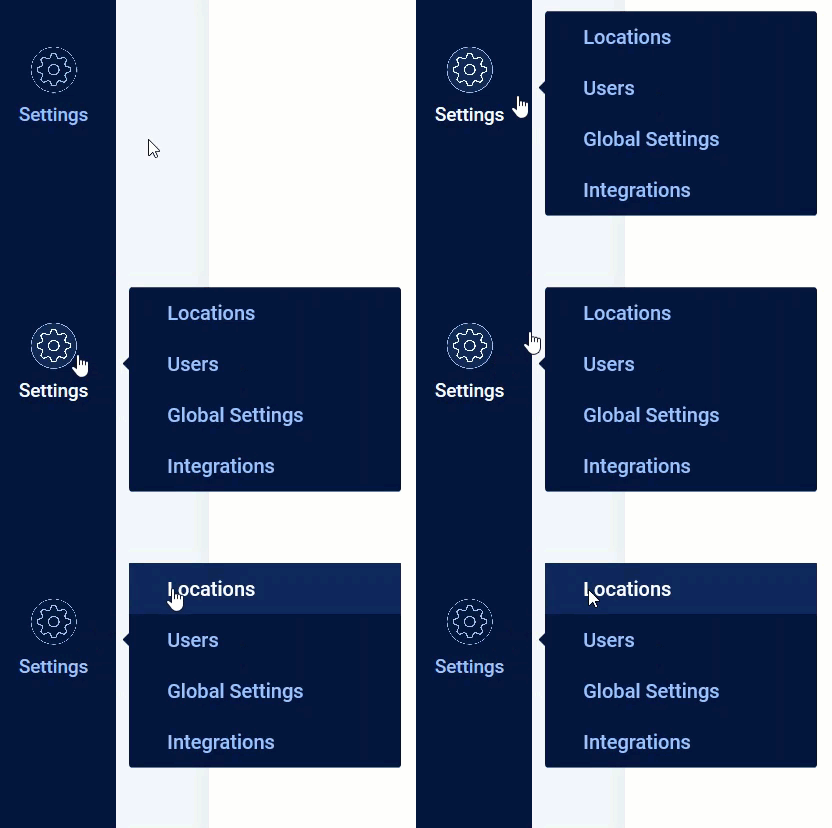
- Hover over the Settings icon on the left side of the window, then click Locations.
- Search for or select the Location where you want to add a Kiosk.

- Select the Kiosks tab to open the Kiosks page.
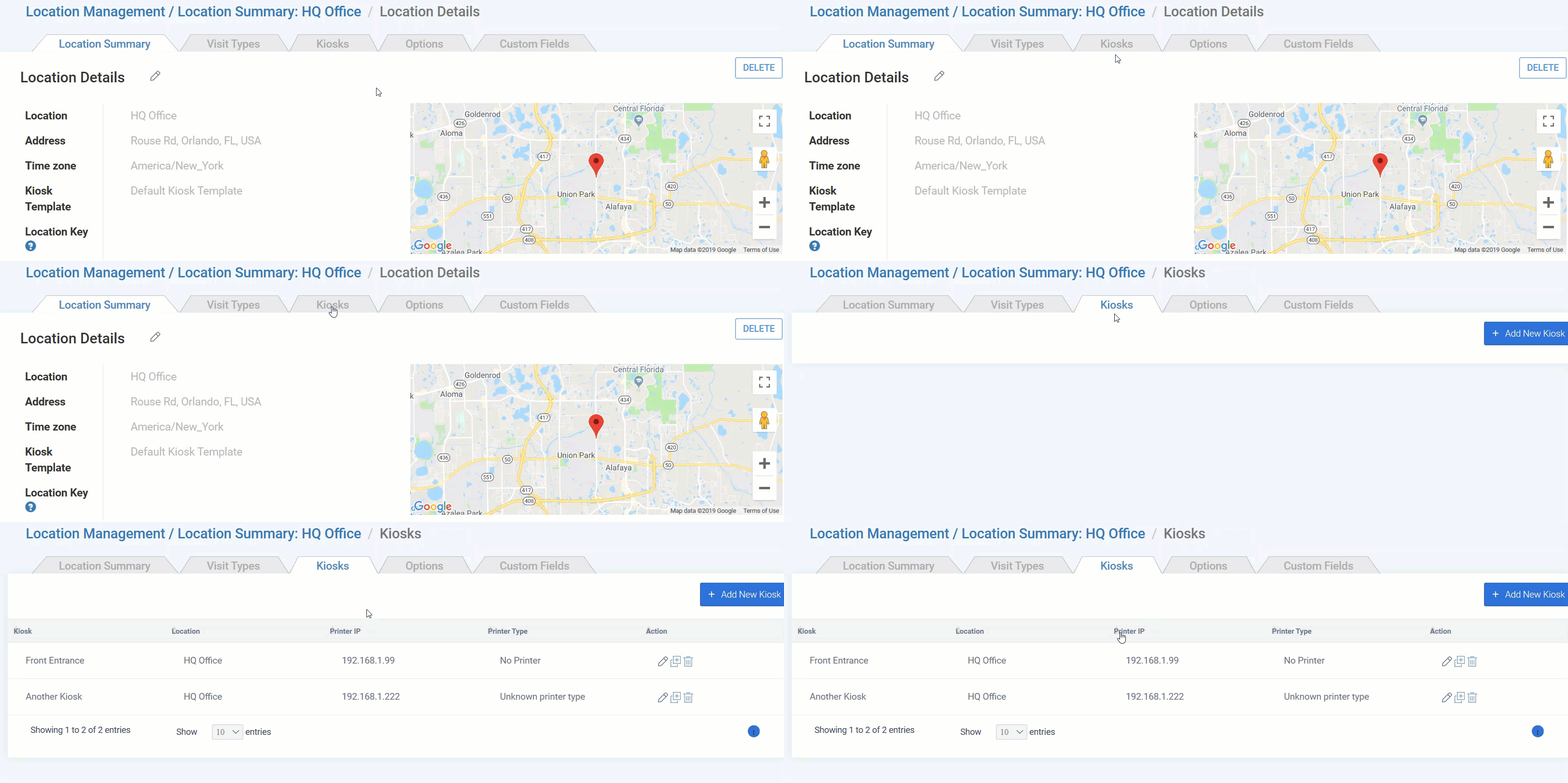
- Find the Kiosk you want to pair and click its edit icon
 . If the Kiosk doesn't exist yet, click Add New Kiosk instead.
 - Scroll to the bottom of the page and click Generate Registration Code.
- A box appears with your Registration Code, Customer ID, and a QR code. Keep this information available — you'll need it to pair the Kiosk.
- Keep in mind this code is only good for 24 hours, in the event you are sending it to another person to sync their kiosk.
- Keep in mind this code is only good for 24 hours, in the event you are sending it to another person to sync their kiosk.
Result
You now have everything needed to pair this Kiosk with the Location.
Comments
0 comments
Article is closed for comments.