
Turn on Guided Access to keep visitors inside the SV3 Enterprise Kiosk app and out of the rest of the iPad.
Before you start
You need physical access to the iPad running the Kiosk app. You'll also set a Guided Access passcode during setup — use one you're comfortable sharing only with people who should be able to unlock the Kiosk.
Steps
- Open the Settings app on your iPad.
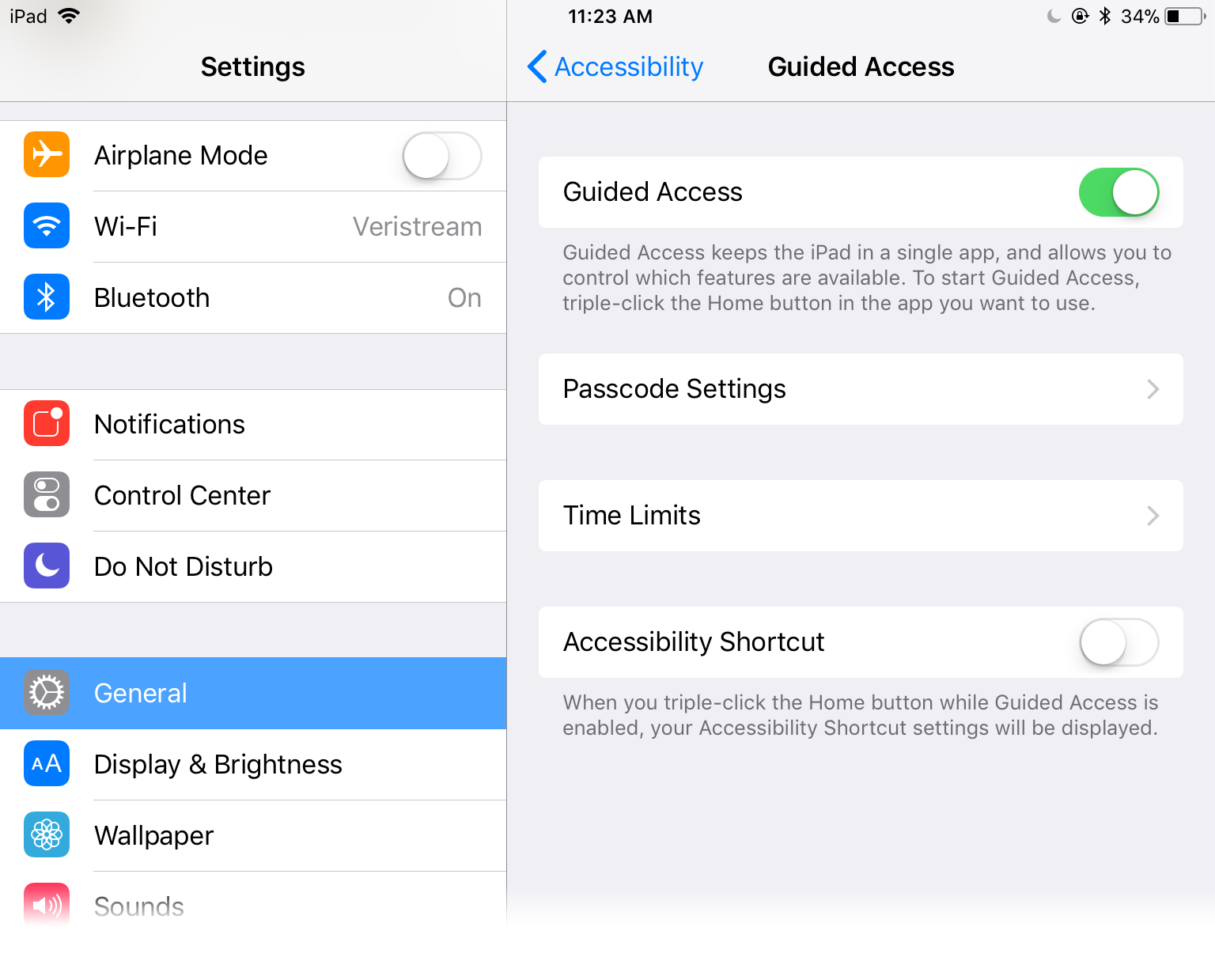
- Tap General > Accessibility > Guided Access.
- Turn on Guided Access.
- Open the SV3 Enterprise Kiosk app.
- Triple-click the Home button.
- Tap Start in the top right corner.
- Enter a 4- or 6-digit passcode.
- Enter the passcode again to confirm it.
Result
The Kiosk locks to the SV3 Enterprise Kiosk app. Tapping the Home button or swiping up from the bottom of the iPad won't close the app or open Control Center.
Turn off Guided Access
- Triple-click the Home button.
- Enter your Guided Access passcode.
- Tap Cancel in the top left corner.
Comments
0 comments
Article is closed for comments.