
Schedule up to ten visitors for a single visit in SV3 Enterprise.
Before you start
- Your role sets who you can schedule for. Security Officers, Receptionists, and Local Admins schedule visits for any user at their Location. A Standard User schedules only their own visits, or visits for a user who has added them as a Delegate.
- The host must already be in the Location's directory of users; you can't name a host who isn't in your directory of users.
- A Global Admin can't be a host. To host a visit, a Global Admin also needs a role at that Location.
Steps
- On the Dashboard, click New Visit.
- Select Schedule New Visit. The Schedule a Visitor window opens.
- Click the Group Visit tab.
- In the top part of the window, fill in Location, Visit Type, Date, and time.
- Start typing in the Host field, then select a name from the list of matches.
- In the lower part of the window, enter the Name and any other requested information for the first visitor.
- Click Add Row to add fields for the next visitor.
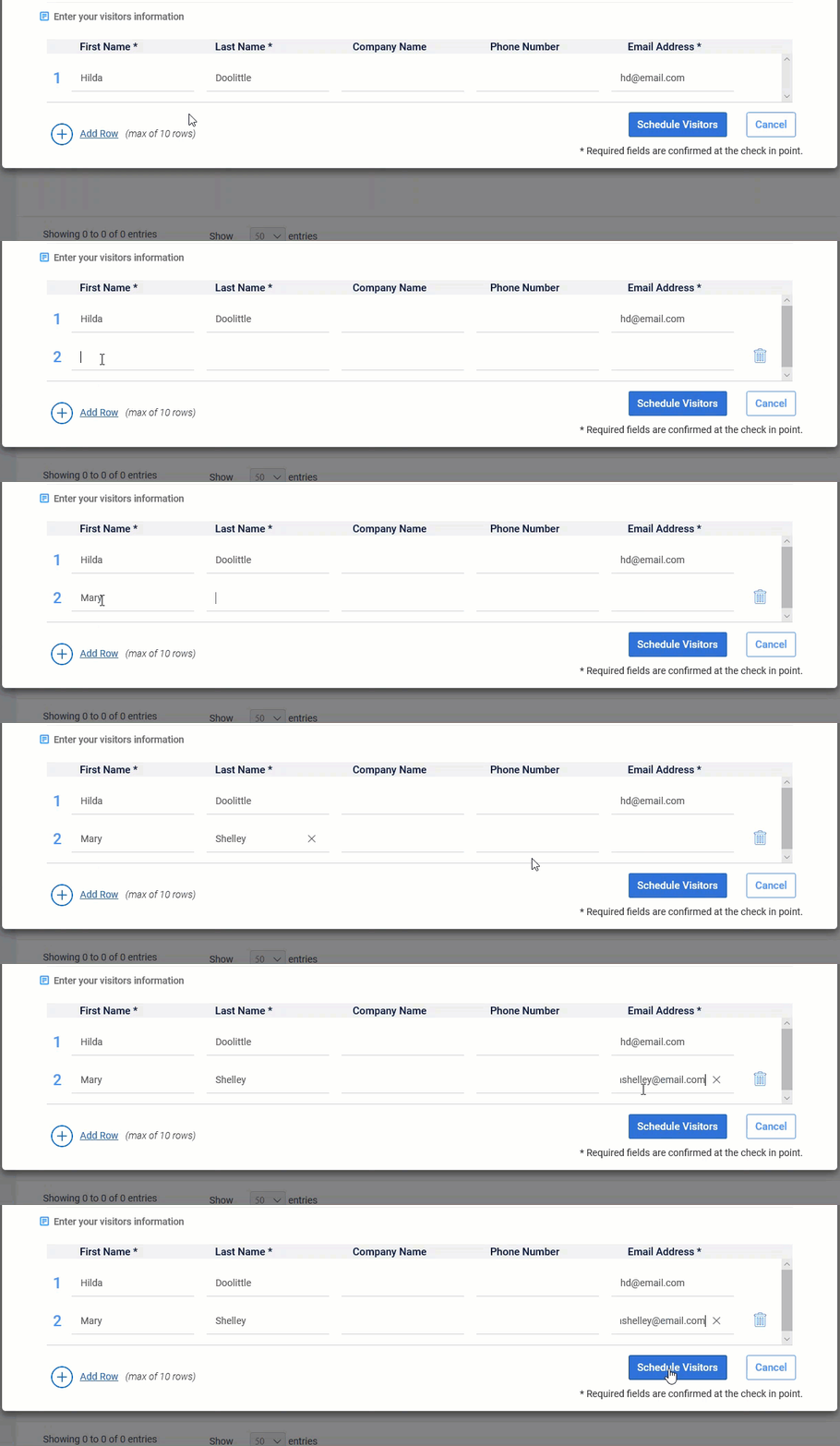
- Enter that visitor's information. Repeat steps 7 and 8 for the remaining visitors, up to ten.
- Click Schedule Visitors.
Note: If the Visit Type uses the Citizenship field, visitors select their own citizenship at check-in. You can't fill it in while scheduling.
Result
The visit is scheduled and the visitors appear on the Dashboard. To close the window without scheduling, click Cancel instead; you return to the Dashboard.
Comments
0 comments
Article is closed for comments.