
Change the details of a series of Recurring Visits, or cancel the visits that have not happened yet.
Before you start
- You need a role at the Location that allows you to schedule the visit you are editing.
- For a group series, edit one visitor at a time. You cannot change every visitor's details in a single edit.
Edit a series
- On the Dashboard, select the visitor's name. The Visitor Details page opens.
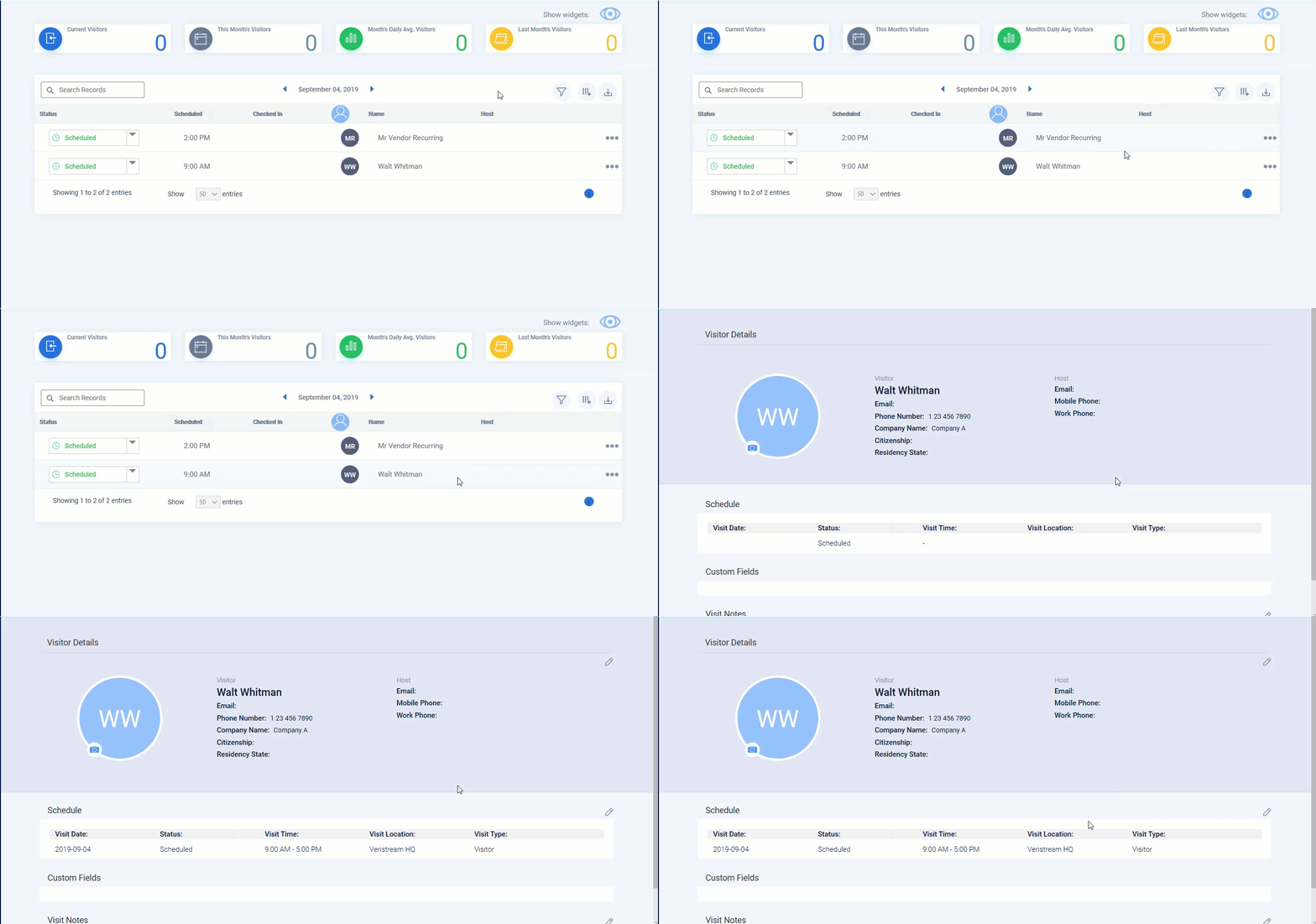
- Click the Schedule Edit
 icon. The Schedule a Visitor window opens.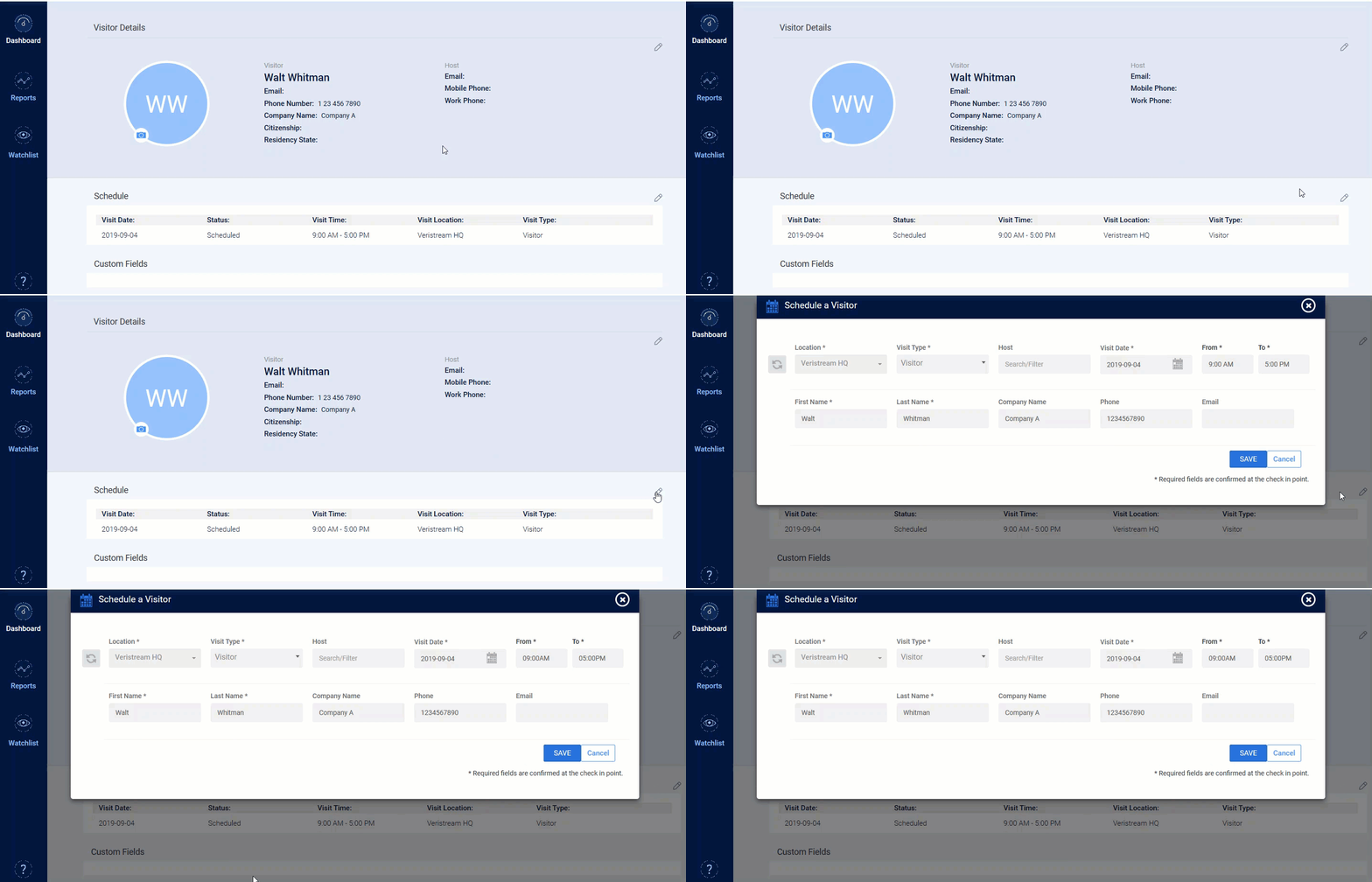
- Click the Recurring Visit
 icon.
icon. - Change the visit details.
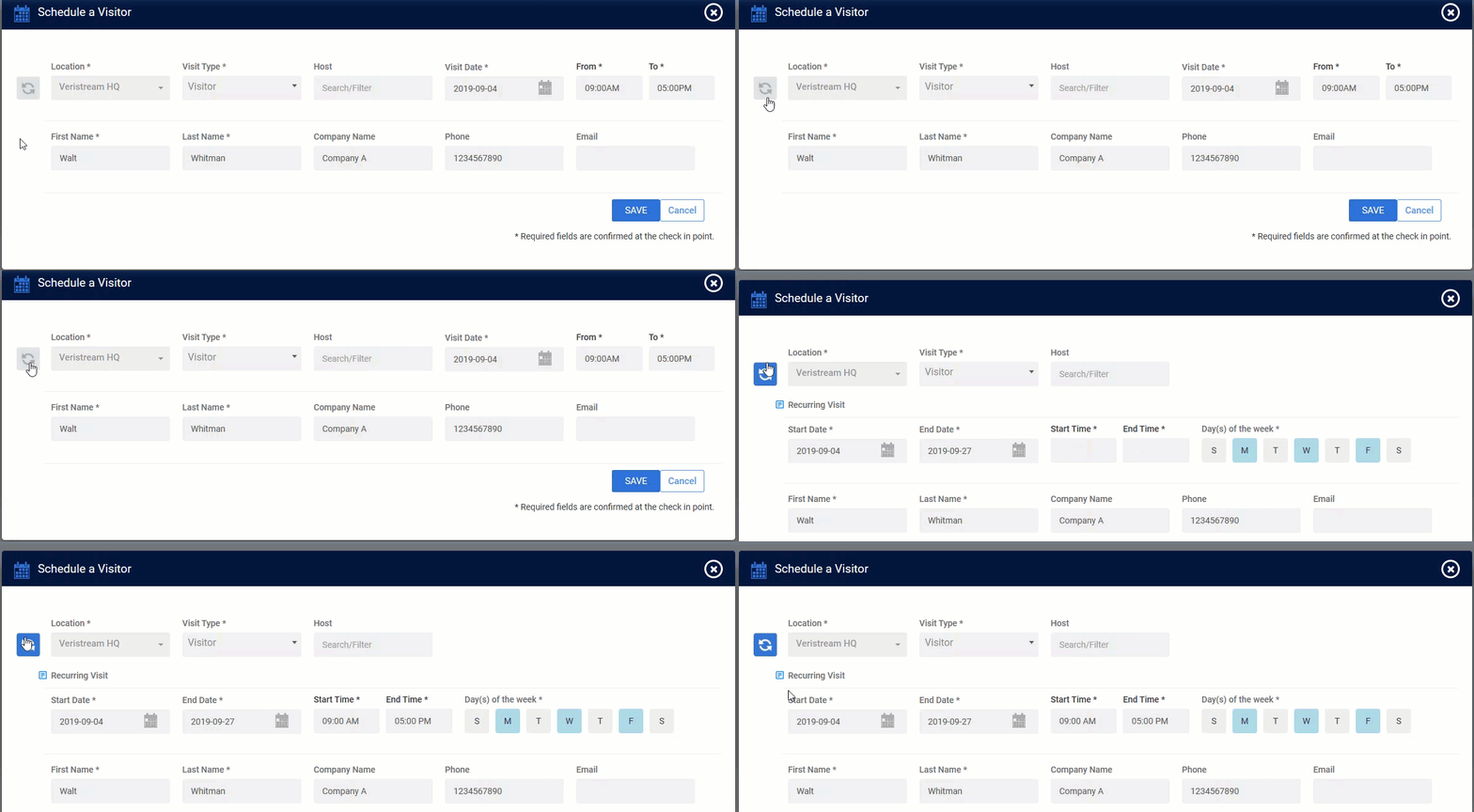
- Click SAVE.
Delete the remaining visits in a series
- Open the series as described above, through steps 1 to 3.
- Change the End Date to today's date. If the first visit in the series has not happened yet, use that date instead.
- Clear the matching day of the week.
- Click SAVE.
Result
Your changes apply to every visit in the series that has not happened yet.
Note: Visits in the series that already took place are not affected by an edit or a deletion.
Comments
0 comments
Article is closed for comments.