
Check in a visitor who arrives without a scheduled visit, without sending them to the Kiosk.
In SV3 Enterprise, a walk-in visitor (an Unscheduled Visitor) is someone who arrives without a scheduled visit. Check them in from the Dashboard when the visitor can't use the Kiosk. For example, during an emergency, when the visitor is short on time, or when there's a line at the Kiosk.
Before you start
You need one of these roles:
- Global Admin
- Local Admin
- Security Officer
- Receptionist
Steps
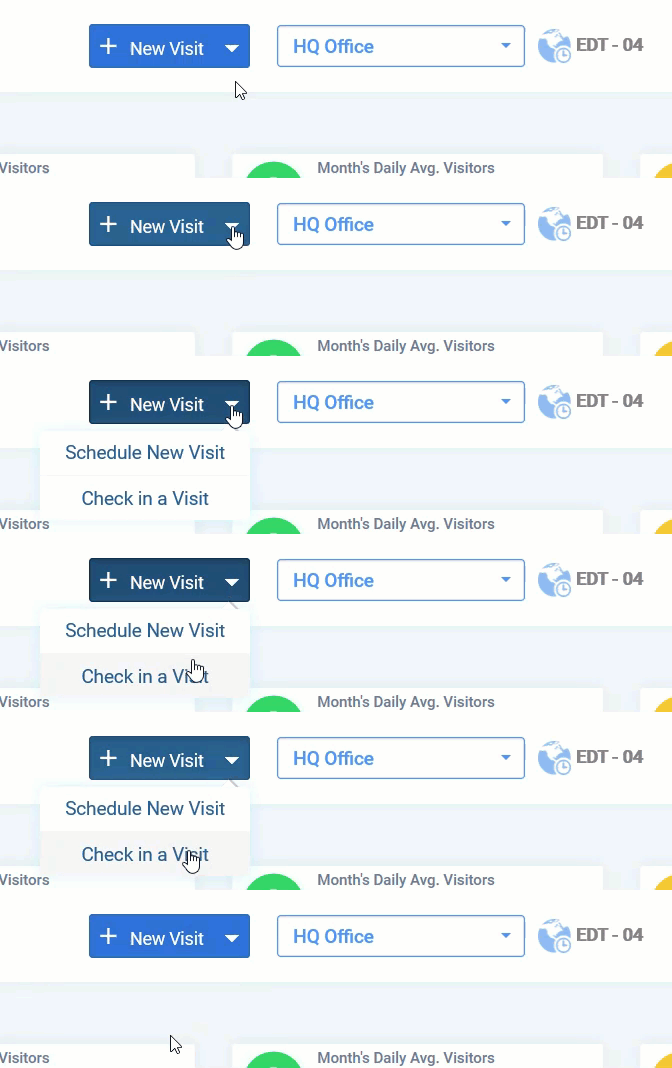
- On the Dashboard, click New Visit.
- Select Check in a Visit. The check-in form opens.
- Select the Location.
- Select the Visit Type. The Visit Types you see depend on how the Location is set up.
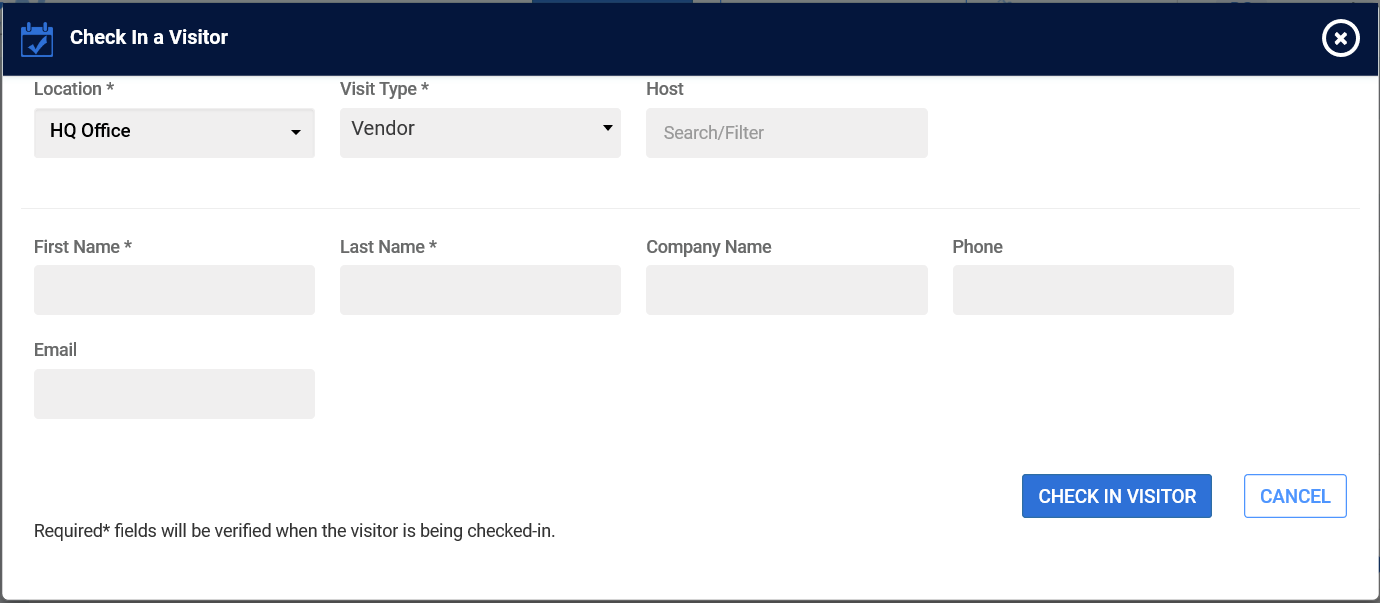
- Complete the required fields, marked with an asterisk (*). You can leave optional fields blank.
- If the Visit Type includes Citizenship, ask the visitor for their citizenship and select it.
- Click CHECK IN VISITOR.
- To print a Visitor Badge, click the More
 icon.
icon.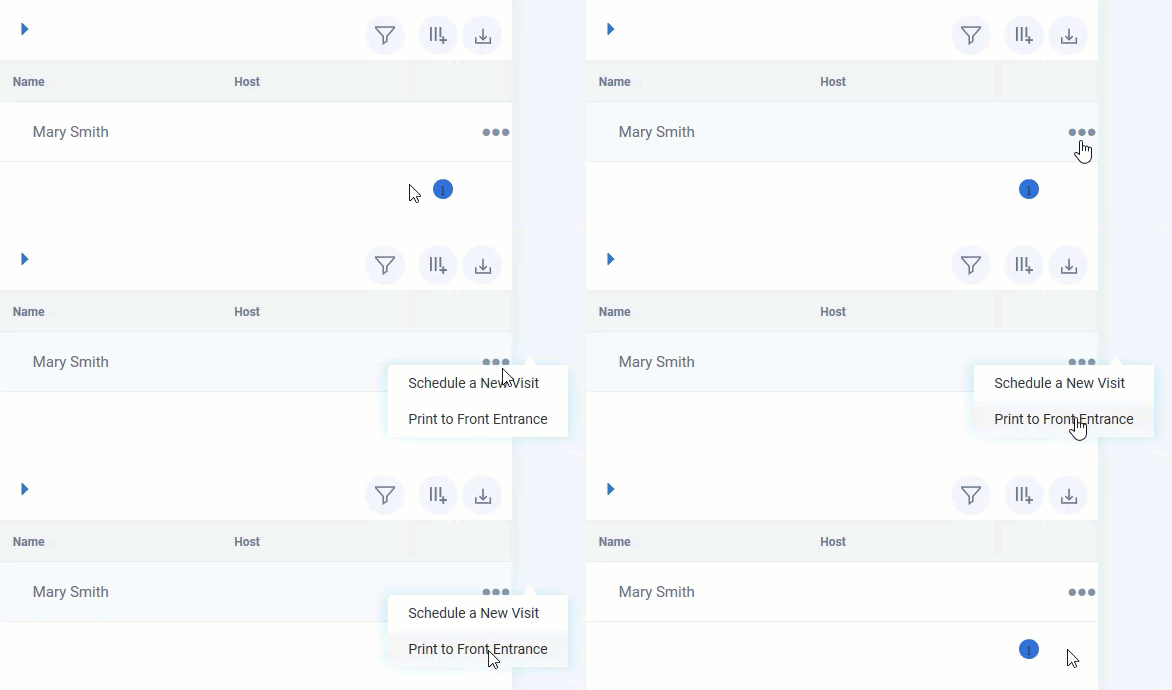
- Select a kiosk to print to. It will print to the attached printer. Optionally, select to "Print Visitor Badge" to print to a local printer from the web.
Note: Visitors checked in from the Dashboard don't sign any documents. Watchlist screening still applies.
Result
The visitor appears as checked in on the Dashboard for that Location.
Comments
0 comments
Article is closed for comments.