
Check out a visitor from the Dashboard when they leave.
In SV3 Enterprise, you can check out any visitor who is checked in at a Location, whether their visit was scheduled or they arrived as a walk-in visitor.
Before you start
You need one of these roles:
- Global Admin
- Local Admin
- Security Officer
- Receptionist
Steps
- On the Dashboard, find the visitor you want to check out.
- Point to the visitor's status icon. Checked In changes to Check Out.
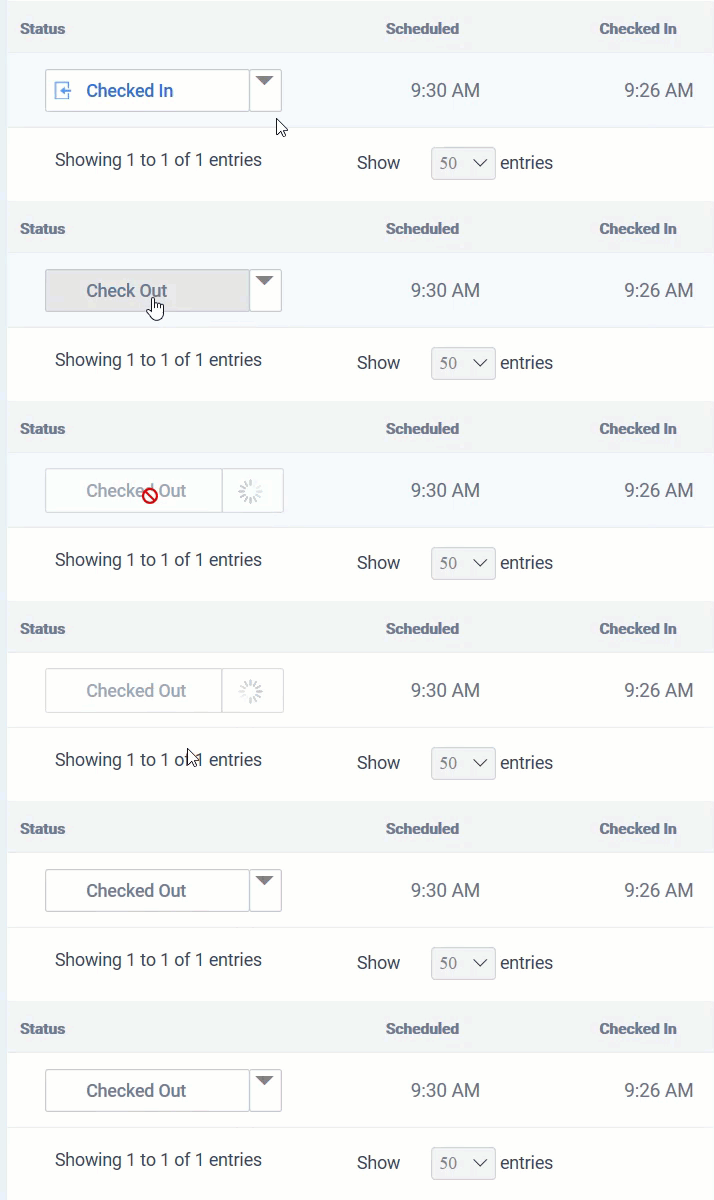
- Click Check Out.
Result
The visitor's status changes to Checked Out.
Note: Depending on your Dashboard filters, checked-out visitors might not appear. To see them, click the Filter icon at the top right of the Dashboard and filter by the Checked Out status.
Comments
0 comments
Article is closed for comments.